
Download & Install
Q789 APK Download — Install the App on Any Android Phone
A start-to-finish Q789 APK install: what your phone needs, how to allow unknown sources on each Android version, and the fix for every install error.

The Q789 APK is a direct Android download, not a Play Store app. Installing it takes about two minutes: download the file, allow installs from unknown sources once, tap the APK, then register with your 03 number. This guide covers the requirements, the permission screens on each Android version, and the errors that stop an install.
Q789 APK requirements before you start
| Requirement | Detail |
|---|---|
| Operating system | Android 5.0 (Lollipop) or newer |
| Free storage | Roughly 150 MB including game caches |
| RAM | 2 GB is comfortable; 1 GB works with other apps closed |
| Connection | 3G minimum, 4G or Wi-Fi recommended for live rounds |
| Permissions requested | Storage, notifications, and SMS access for OTP autofill |
| iOS support | No native iOS app — Android only |
| Cost | Free download; deposits are optional and separate |
Storage permission is optional. If you would rather not grant SMS access, deny it and type the OTP manually — login still works. Decline anything that asks for contacts or call logs.
Step 1: download the Q789 APK
- Tap the download button on this page. The file is served from the official Q789 source.
- If Chrome warns that this file type can harm your device, choose Download anyway — this warning appears for every APK, not just Q789.
- Wait for the download to finish. On 4G it takes well under a minute.
- Note where it landed: usually Internal storage > Download.
Download from one source only. APKs forwarded through WhatsApp groups, Telegram channels or mirror sites are frequently repackaged with malware. A build promising unlimited balance or unlocked VIP is always fake.
Step 2: allow installs from unknown sources
Android blocks sideloaded apps until you permit it. The exact wording depends on your version.
- Android 8 and newer: the prompt appears when you tap the APK. Choose Settings, enable Allow from this source for your browser or file manager, then press back.
- Android 5 to 7: go to Settings > Security and tick Unknown sources before opening the file.
- Xiaomi and Redmi (MIUI): also switch off MIUI Optimization in Developer options if the install silently fails.
- Samsung (One UI): confirm the extra Install without scanning prompt from Play Protect.
Turn the permission back off after installing if you prefer. Q789 updates will simply ask again.
Step 3: install and open the app
- Open your Files or Downloads app and tap the Q789 APK.
- Tap Install and wait for the progress bar — usually 20 to 40 seconds.
- Tap Open, or find the Q789 icon on your home screen.
- Accept the storage and notification prompts. Notifications carry withdrawal confirmations, so they are worth allowing.
- Register with your 03 number using the login and OTP guide, then claim the welcome bonus from the Promo tab.
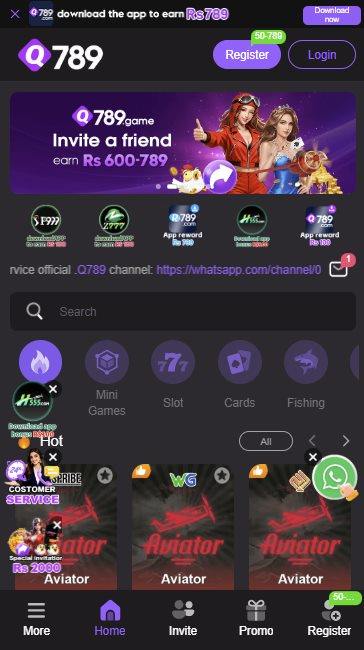
What to do on first launch
- Register a full account rather than browsing as a guest — guest mode blocks bonuses and withdrawals.
- Set your display language to Urdu or English from the profile menu.
- Claim the welcome bonus before your first deposit so the deposit match applies correctly.
- Open the wallet and confirm your account name matches your JazzCash or Easypaisa name exactly.
- Save your referral link from the Invite tab if you plan to use the partner rewards programme.
Keeping the Q789 APK updated
Because Q789 is not distributed through the Play Store, updates do not arrive automatically. The app prompts you in-app when a new build is available, and you install it the same way as the original file — over the top, with your account and balance intact.
Skipping updates is the most common cause of repeated session expiry and login failures. If the app starts behaving oddly after weeks without an update, install the current build before troubleshooting anything else.
Q789 install errors and fixes
| Error | Cause | Fix |
|---|---|---|
| App not installed | Partial download, or an older Q789 build present | Delete the APK, uninstall the old app, download again |
| Parse error | Corrupted or truncated file | Re-download on a stable connection |
| Blocked by Play Protect | Standard sideload warning | Choose Install anyway on the official file |
| Insufficient storage | Under about 150 MB free | Clear cache or remove unused apps, then retry |
| Install button greyed out | Unknown sources still disabled | Enable it for the browser or file manager |
| Crash on first open | Low RAM or an incomplete install | Restart the phone, close background apps, reinstall |
| Stuck at 99 percent | MIUI or One UI security scan | Disable MIUI Optimization, or confirm the Samsung prompt |
How to tell a fake Q789 APK from the real one
- It arrived as a forwarded file in WhatsApp or Telegram rather than a direct download.
- It advertises unlimited coins, a hacked wallet, guaranteed wins, or an unlocked VIP tier.
- The file size is wildly different from the official build.
- On first launch it asks for contacts, call logs, or accessibility permissions.
- The icon or in-app spelling is slightly off from the official Q789 branding.
- It opens a web page asking for your OTP or JazzCash PIN instead of an in-app login.
If you installed a build you now doubt, uninstall it, change your Q789 password from a clean install, and change any wallet PIN you typed while it was on the phone.
Download the official Q789 APK
Free download, Android 5.0 and above, roughly two minutes from tap to first login.
Q789 download FAQs
Is Q789 on the Google Play Store?
No. Real money gaming apps are not distributed through the Play Store in Pakistan, so Q789 ships as a direct APK download and you enable unknown sources once to install it.
How big is the Q789 APK?
The installer is small and the app settles at roughly 150 MB once game assets have cached. Budget phones handle it without storage trouble.
Is there a Q789 app for iPhone?
There is no native iOS build. Q789 is Android only, which is why every install guide starts with an APK rather than an App Store link.
Does installing the Q789 APK void my phone warranty?
No. Allowing installs from unknown sources is a standard Android setting, not a root or unlock, and you can switch it back off after installing.
Will an update delete my account or balance?
No. Updates install over the existing app and your account, wallet balance and bonus progress stay attached to your registered number.
Why does Chrome warn me about the file?
Chrome shows that warning for every APK download regardless of source. It is not a verdict on Q789 — but it is a good reason to only ever download from one link you trust.